sonarqube scan jdk8 project
2025-03-19
Version Info
OS: windows11
JAVA: 8 window11下安装JDK1.8“最新”保姆级教程(2022年3月)_win11安装jdk1.8-CSDN博客
Note: make sure to use cmd 'java -version' will show 'java version : 1.8.*'
SONARQUBE: 7.5-community
using docker will be easier to install
MAVEN: 3.9.8
SONARQUBE SCAN DEPENDENCY:
<plugin>
  <groupId>org.sonarsource.scanner.maven</groupId>
  <artifactId>sonar-maven-plugin</artifactId>
  <version>3.2</version>
</plugin>
Sonarqube server
1.start server
in my case, I use docker to run sonarqube, just remember setting the port before start.
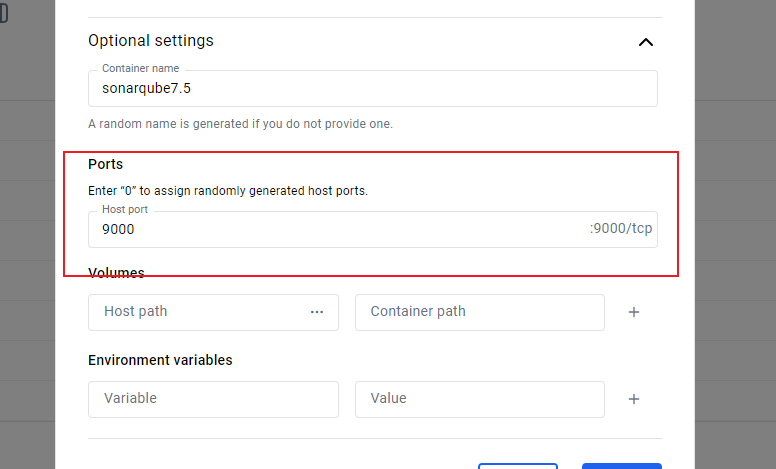
2.login
open browser input the sonarqube web url, like http://localhost:9000/, default account name:admin, password:admin
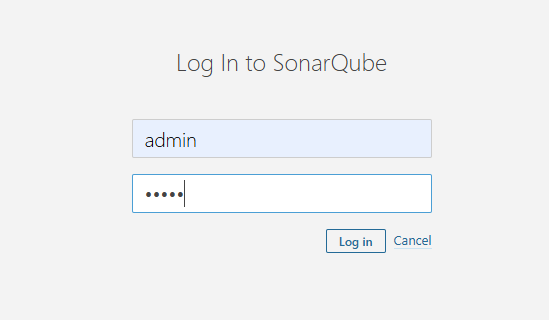
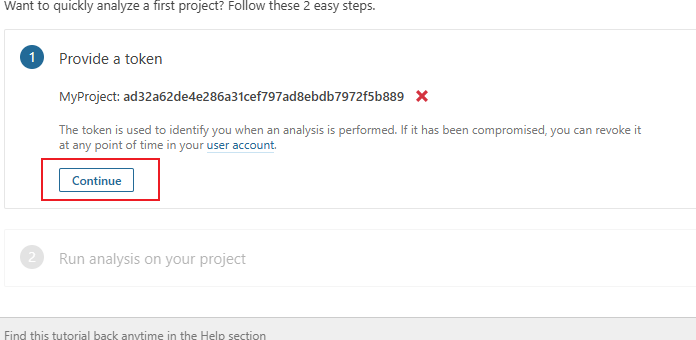
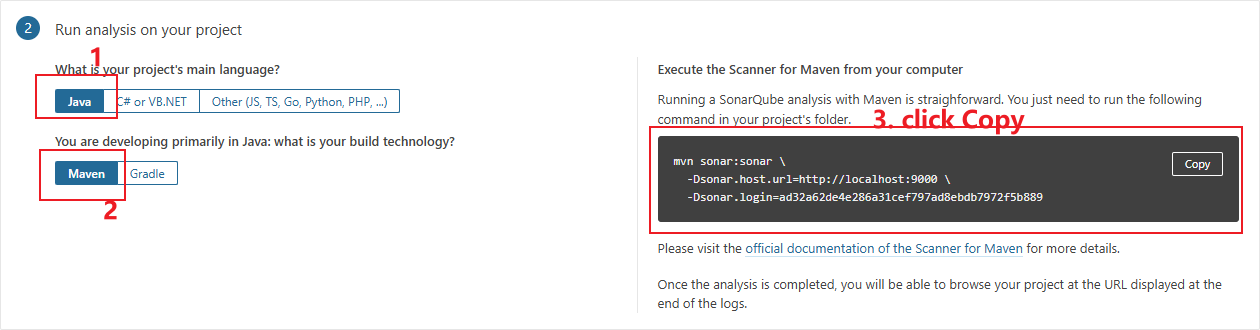
3.new project
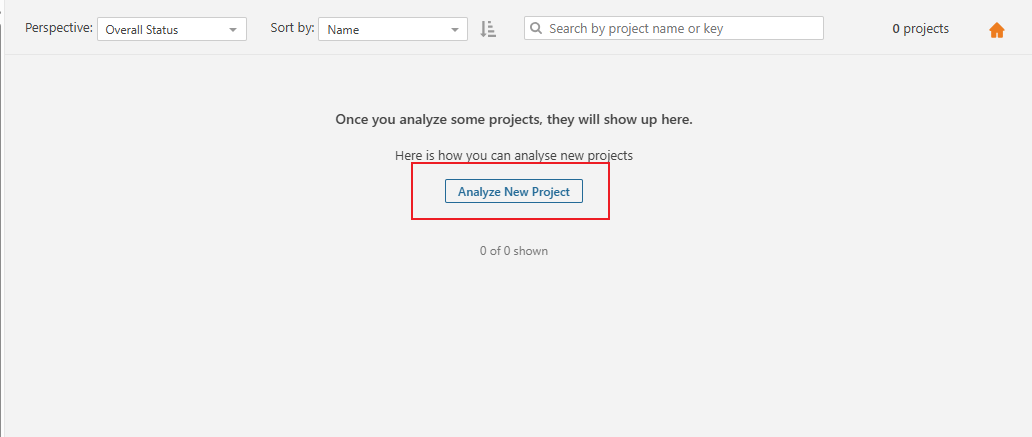
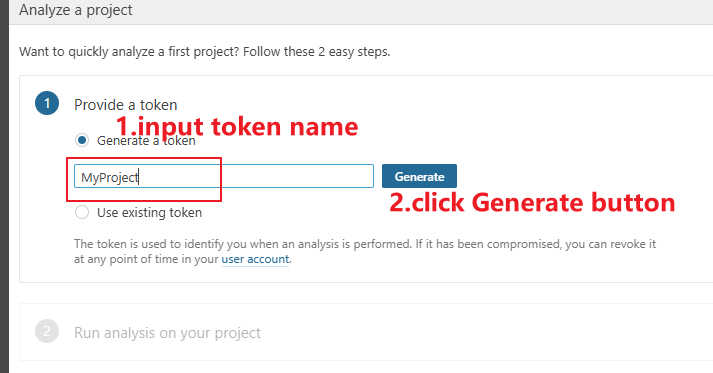
Analysis
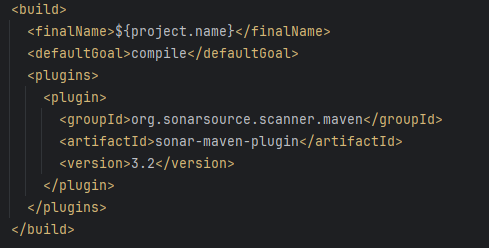
1.add scan dependency
input the SONARQUBE SCAN DEPENDENCY to your project POM.xml and refresh maven.
2.run scan
using cmd to your project directory, then paste the script which you copy on step 3.new project.
my script as below:
mvn sonar:sonar \
  -Dsonar.host.url=http://localhost:9000 \
  -Dsonar.login=ad32a62de4e286a31cef797ad8ebdb7972f5b889
Note:
The \ symbol may not be recognized in cmd, you can delete this symbol and write the script as a single line to execute it.
Add parameter -X can print more information, especially when an error occurs, which can help you find the bug more easily.
Add parameter -DskipTests=true can skip the unit-test
View analysis results
click the project tab and choose your project name can view.